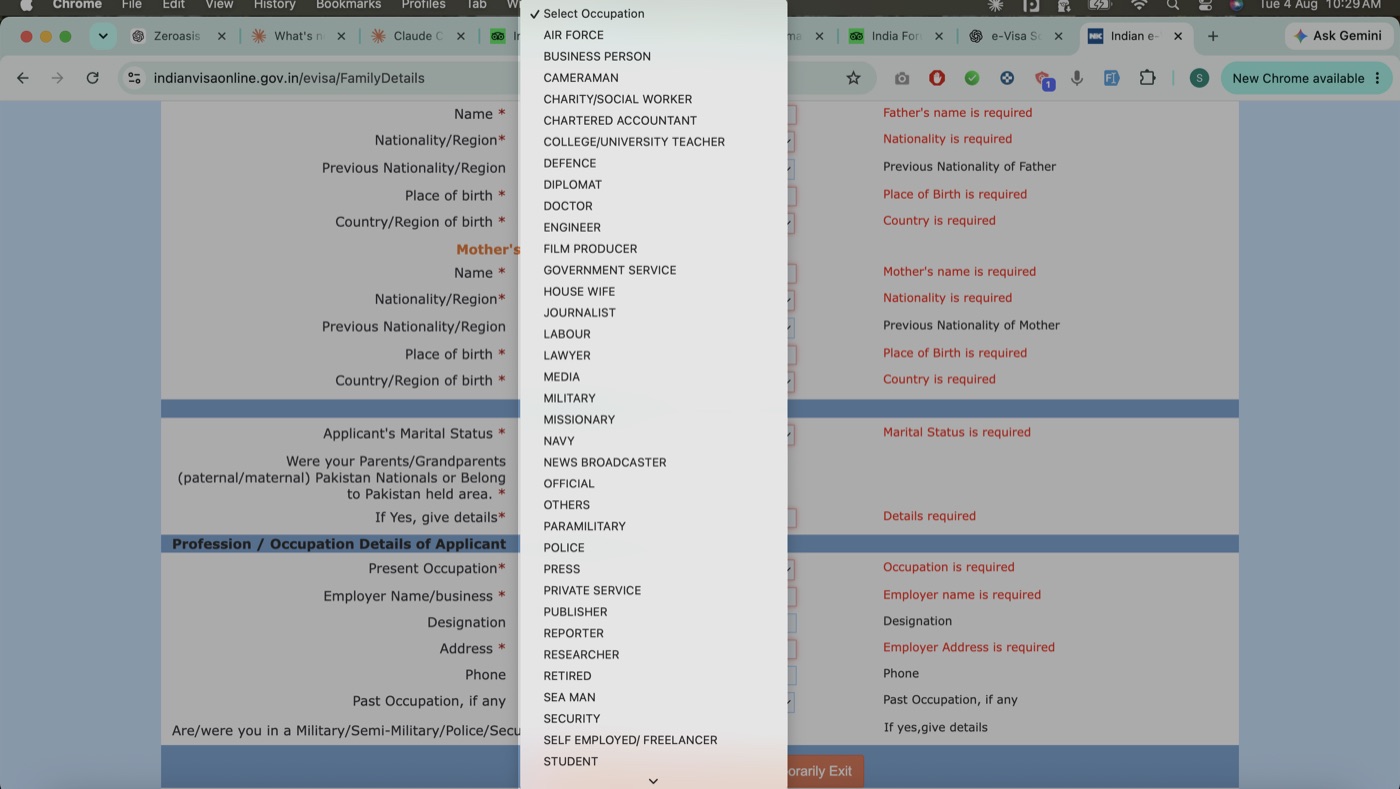
Full list of Present Occupation options
There is no type-to-search on this dropdown. The list is alphabetical, so you scroll to find your option.
- Air Force
- Business Person
- Cameraman
- Charity/Social Worker
- Chartered Accountant
- College/University Teacher
- Defence
- Diplomat
- Doctor
- Engineer
- Film Producer
- Government Service
- House Wife
- Journalist
- Labour
- Lawyer
- Media
- Military
- Missionary
- Navy
- News Broadcaster
- Official
- Others
- Paramilitary
- Police
- Press
- Private Service
- Publisher
- Reporter
- Researcher
- Retired
- Sea Man
- Security
- Self Employed/Freelancer
- Student
- Trader
- TV Producer
- Un-Employed
- UN Official
- Worker
- Writer
What to enter if you are retired or unemployed
Selecting RETIRED or UN-EMPLOYED doesn't remove the employment fields. Employer Name/business and Address stay marked mandatory, and leaving them blank triggers a red "Employer name is required" error that blocks Save and Continue.
Enter NA in these three fields:
- Employer Name/business
- Designation
- Address
Phone is not mandatory and can be left blank. Save and Continue then works normally.
What to enter if you are a student or housewife
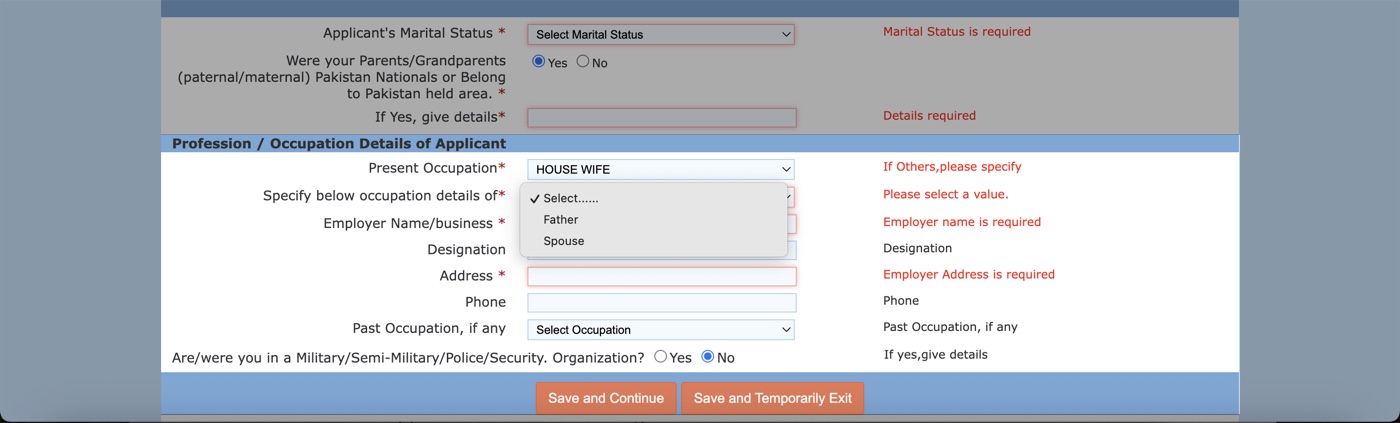
Selecting STUDENT or HOUSE WIFE brings up a second dropdown, "Specify below occupation details of", with two options: Father or Spouse. Both options are available for either selection.
The Employer Name, Designation, and Address fields below then refer to that person, not to you. The form doesn't state this, and it's a common source of confusion: applicants either enter their own details or leave the fields blank and hit the same validation error.
If you select OTHERS
You must type your occupation into the "If Others, please specify" field. The page won't save without it.
If none of the options match your job
Pick the closest match, or select OTHERS and specify your occupation in the free-text field.
Form fields, labels, and validation rules on the official portal can change without notice. Always complete your application directly on indianvisaonline.gov.in, the only legitimate place to apply, and treat this guide as orientation rather than the final word on any specific field.